Archive for the ‘Life’ Category

KeyLime Cove Indoor Water Park Family Adventure

Tuesday, August 16th, 2011

Our family was invited on a trip to review and share our experience with you on the KeyLime Cove Water Park in Gurnee, Illinois. To say that my children were more than thrilled about this trip opportunity would be an understatement. Although this may surprise you, we have never taken a family vacation before. I travel so often with my own work that my husband uses his vacation time for my work travel and our family travel has been pushed off because of this. Although Gurnee is just a few hours from our home, we could not have been more excited to experience the water park for ourselves and share it with you!

KeyLime Cove Water Park is situated in the town of Gurnee, IL and is just three short blocks away from Six Flags Great America.  We had fun not only exploring the water park, but also had the opportunity to explore the restaurants in town and get to see all of the cool things that Gurnee offered.  TripAdvisor named Gurnee one of the  Top Ten Vacation Destinations in 2009 and we could definitely see why. With outlet malls, an amusement park, a water park, and great restaurants… it would definitely be a town we would like to visit again and again.
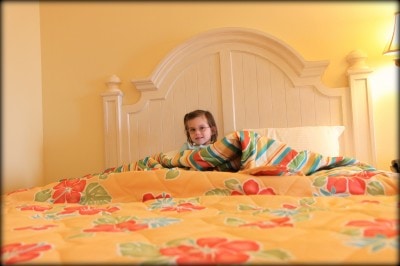
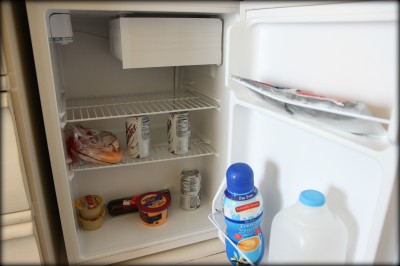
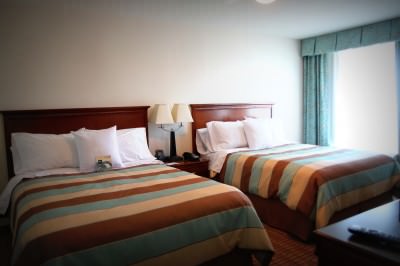
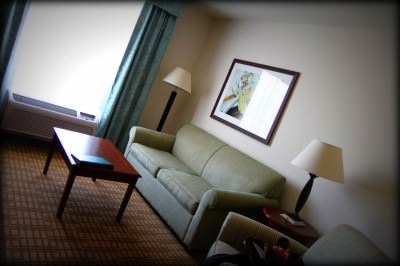
The rooms had a tropical feel to them and we were in a Queen Deluxe Stateroom that offered two queen beds, a sofa bed, a refrigerator, a dining table for two, and a flat screen television.  The room was spacious and had plenty of room for the four of us. The hotel can house parties up to twelve, by giving everyone adjoining rooms that connect and each room can hold two to eight guests.

The refrigerator in the room was a fabulous way for our family to bring our favorite breakfast foods, lunch foods, and snacks and have them on hand to keep our extra spending down. Thanks to the dining table and couch, we even had a place to enjoy all of our food in the cozy seating area.  Since we saved so much on our dinners we were able to enjoy dining in the resort in the evenings, as well as checking out other fun restaurants in town through the help of my Yelp app on my phone.

More pictures of their accommodations can be seen here.
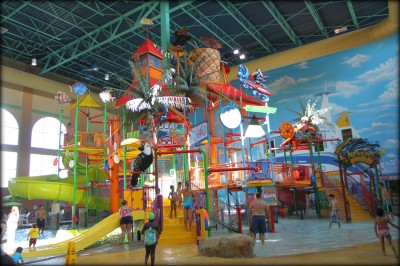
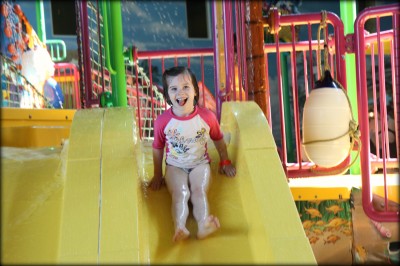
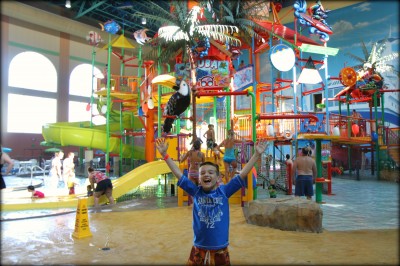
There is truly something for everyone in the KeyLime Cove water park area.  My children are 5 & 9 years-old and they both had an incredible time at the water park and with over 65,000 square feet of water park space, it is no surprise that we had no cries of boredom that day.

Younger children have their own separate area with small slides and shallow depth for the toddlers in your family. Children that are a little bit older can enjoy splashing in a larger water park structure complete with oodles of slides, from small to large with slides that could accommodate children both large and small.

For the older and braver kids (and adults), the Hurricane Vortex boasts a 44-foot drop and makes you feel like you are spinning in a top. Wahoo & Screamin’ Banshee are two other fun slides that you can ride on with inner tubes and have 40-foot drops and they loop through the exterior of the building. For the really brave, two enclosed body slides are also available.

My 9 year old just made the height requirement for the Hurricane Vortex which was 48″ tall.  Thanks to his recent growth spurt, he was able to do every single one of these slides and he truly loved them. He even did the body slides on the last day. When my husband told me that he was moving really slowly through the body slides, a lifeguard offered a tip and said that his rash guard shirt that he was wearing could have been slowing him down. Once he removed his little shirt, he was a human cannon ball and shot through the slides at lightning speed. Luckily, his mother was sitting on the lazy river and had no idea what was occurring up there.

Being of the old and not brave variety, I did try the Hurricane Vortex, the Wahoo, & the Screamin’ Banshee which was quite impressive for me.  Our entire family also enjoyed hanging out in the Washout Wavepool, where the water is meant to simulate the ocean and you can lounge around in beach chairs or on an inner tube to enjoy the waves.  Ride the waves into the Keylime Creek  and you can loop all through the water park and coast along in your inner tube on the lazy river and enjoy every moment of being lazy for a change. Both the wave pool and the creek can be enjoyed with children of all ages. Parents can double up on one inner tube with their smaller children or laze around solo holding on to the handles of your child’s tube.

Regardless of what age your child is, lifeguards were present in a big way there and were vigilant about watching children in the play area and also reminding them of safety when exiting the slides and keeping everyone safe when going down the slides. I witnessed one child who could not find his mom & dad, and a lifeguard was there in three minutes flat to take care of him. A first aid station is located within the facility and life-jackets are available for smaller children to make sure that they are safe.
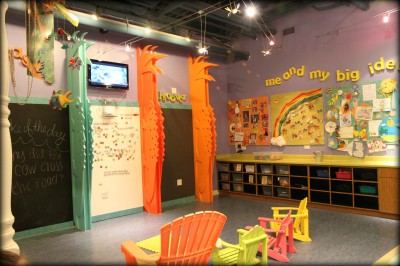
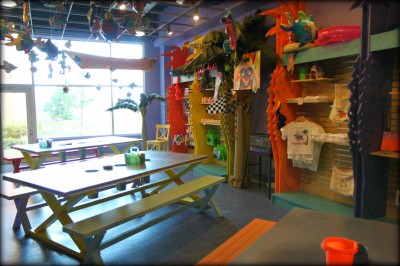
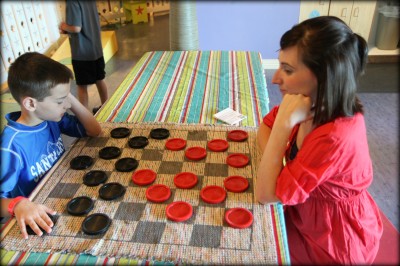
Just as impressive as the water park itself, the Leapin’ Lizards kid’s activity center was my kid’s favorite hangout and where they wanted to spend all of their downtime. They had everything from a bean bag toss game, to checkers, to oodles of art supplies, and toys for the kids to play with. My daughter spent hours coloring princess pictures and my son & I enjoyed a few rounds of checkers between water sliding.

The most impressive part were the activities that were available to the kids each day. A dry erase board outside of the activity center listed that days activities and would include things like my making a foam hand for hi-five day to celebrating birthdays for that particular month to Mario Kart Wii racing in the evening.

My son talked the employee’s ears off about video gaming and no one ever seemed anything, but interested in what he had to say. He had a blast in the Mario Wii Kart competition which yielded him coins to spend at the RipTide Arcade while my daughter submitted endless coloring sheets for the coloring contests and came home with jewels from their prize boxes. A dance party was held in the evening and Emily got the party started with the employees which made us so proud that all of our Just Dance Wii game practice has been paying off.

Of course, my son’s favorite part was the RipTide Reef Arcade with over 8,000 square feet of gaming fun. My husband kept remarking how impressed he was with the game selection as well as how up-to-date the games were that were offered.  The boys spent some money at the arcade,  which led to tickets,  which led to spider rings, which led to tears because only brother got a spider ring, which led to more games, which led to a purple jelly bracelet for someone else, which led to happiness. In all seriousness, there were so many great family-friendly games to choose from and the boys had a blast playing in here in the evening.
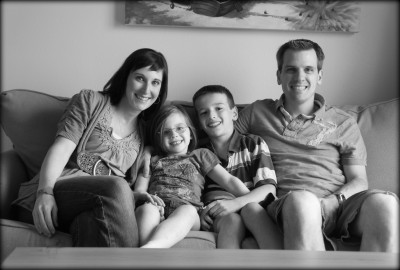
With our first family vacation under our belt, we now feel like we can do anything. When we asked the kids if they would like to spend a day at Six Flags… they regretfully… declined.

No, they wanted to spend the last day on the water slides. Playing in the activity center. Eating the food at the resort. Playing in the arcade.

I think that should speak for itself on how much fun we had together and how thankful we were for the opportunity to explore this resort.

I have a very, very good feeling that we will be back soon!

Our family received a free stay at this hotel in exchange for our thoughts and opinions on the water park and its services. All opinions expressed are our own and we received no additional compensation.
Family Travel: Exploring Wilmington, North Carolina

Tuesday, September 28th, 2010

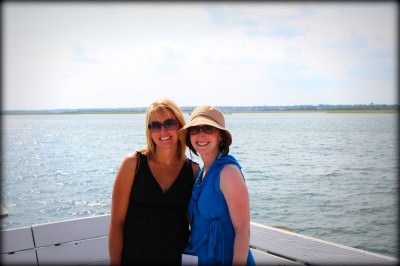
I got the opportunity to travel to Wilmington, North Carolina for a trip with Homewood Suites by Hilton to explore the family-friendly attractions and budget-friendly travel that you can find there. The trip was hosted by Homewood Suites in conjunction with the Wilmington/Cape Fear Coast Convention & Visitor’s Bureau. I had no expectations for what to expect from the trip, other than the opportunity to have a little getaway and I was thrilled when the company said that I could bring along a guest. Unfortunately, the kids had already started school and  my husband would need to stay with them. It is rare that I get to share a trip with anyone else so I was excited to bring my best friend along for the weekend. Who could turn down a girl’s weekend that is all-expenses paid?

We set off for Wilmington and got to stay at the beautiful Homewood Suites by Hilton Wilmington Mayfaire which was a short 5 minute drive to Wrightsville Beach. I have stayed at a lot of hotels over the course of the years with my business, but I have never stayed at a hotel that offered more amenities to their guests than this one.

Room rates start at $120 a night and the company admits that they are not the cheapest in town, but that they do strive to offer the best service and the best amenities for their guest.  I am used to paying for my internet, some dry cereal for breakfast, and paying for any extra frills that I might desire so I really was genuinely shocked by what the hotel offered.

All of the rooms offer a full kitchenette that includes a full-size refrigerator, a two-burner stove, cooking utensils/tools with service for four,  and a dishwasher. For no additional charge (other than the actual price of groceries), you can call ahead and have them stock your refrigerator for you before you even arrive for your trip!

The hotel offers a free huge hot breakfast seven days a week and a bigger bonus for family’s on a budget, was a “Manager’s Reception,” dinner Monday through Thursday for free, that included a full delicious dinner, a kid’s buffet for dinner, and wine/beer for the parents while you are staying there.  As an example of the dinner choices, two of the offerings the nights we were there were tortilla-crusted tilapia and home style meatloaf including two side dishes. I have never been to a hotel that offered a full dinner and full breakfast  for free for its guests and this is available at any of the Homewood Suites locations.

The rooms also offered DVD players and (for no charge)  you could select a family-friendly movie to watch with your kids. Baskets of cookies were available for a free late night snack and a free coffee & tea bar were always open. These little inclusion are the things that I love to look for in hotels especially when it comes to keeping my children entertained and fed well.  The coffee bar is a tired vacationing parent’s dream and it is the first time I have actually loved coffee at a hotel.

Other important inclusions were free wireless internet, grills on-site if you wanted to grill for your lunch, and they even had a little putt-putt golfing for the kids near the pool and hot tub that didn’t cost an extra dime.

Yeah, all of that starting at just $120. I figure just the breakfast, kitchenette in every room, the family entertainment, and the free dinner with beverages would really help to keep our family on budget.

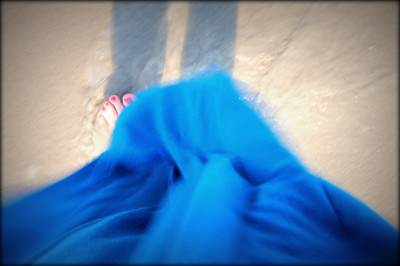
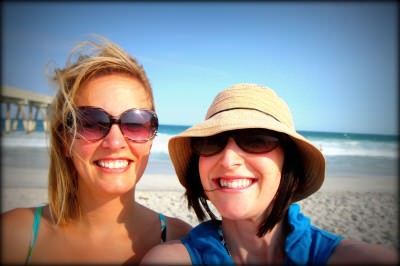
If you were wondering just how pale I am, this picture speaks a thousand words. I was really missing my giant beach umbrella, but used the shadow of my friend Becky and an expert tuck and pull to allow my dress to keep me covered at the beach. I always chant to myself that someday I will be a beautiful old lady and everyone will envy my pale skin… at least that is what I like to tell myself!

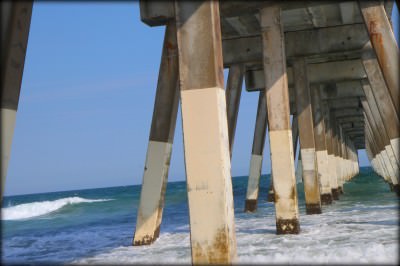
In all seriousness the beach was simply stunning and I loved dipping my toes in the water and collecting shells for the kids while enjoying the peacefulness of the ocean. It was beautiful and it was so nice that it was only minutes from the hotel!

The Wilmington/Cape Fear Coast Convention & Visitor’s Bureau were so gracious to allow us the opportunity to explore Wilmington’s family-friendly offerings. We toured the Battleship North Carolina, The Children’s Museum of Wilmington, the Cape Fear Serpentarium, a horse drawn tour of downtown Wilmington, North Carolina Aquarium Fort Fisher, and sampled delicious seafood chowder at Michael’s Seafood, took two boat tours of the beautiful beach, downtown shopped, and enjoyed all of the town’s offerings.

I can’t wait to share with you more as it gets closer to vacation season about my experience in both North Carolina and Orlando for some fun ideas for family travel. I will say that of the places we visited, I loved the Children’s Museum of Wilmington and the North Carolina Aquarium Forth Fisher the absolute best and can’t wait to revisit them for a trip with my own family. The enthusiasm of the employees was enchanting and I know that we could spend a whole day just visiting these two spots alone.

I have to say my favorite part was just getting the opportunity to relax! We spent an evening window-shopping in the Mayfaire shops, grabbed a delicious pizza one night, popped popcorn and watched silly girl movies like, “Fame,” and ate ice cream cones. I loved everything about Wilmington and can see it as a new destination for our family!

In full disclosure, while I was there, I found a new place to write and will be joining the SuiteTrip website for the next few months (through Homewood Suites)  to share ideas on budget-friendly travel and ideas for making travel enjoyable as a family. I can’t wait to share more ideas with you there! It was an unexpected new freelance job that I am really looking forward to!

Disclaimer: We were invited by Homewood Suites in conjunction with the Wilmington/Cape Fear Coast Convention & Visitor’s Bureau. for an all-expenses paid trip to experience Wilmington, NC  and share with our readers about our experience. All-expenses paid means that our travel, hotel stay, visits to area attractions, and food were covered by the company. We will receive no other additional compensation for this particular project and are asked for our honest opinions without any further obligation. To find out more about how things work here at MomAdvice, please feel free to visit our official Disclaimer page!

Where is your favorite family vacation spot? Where is somewhere you would like to explore? Feel free to share!

Capturing Your Children Through Photography

Tuesday, July 27th, 2010

One thing that people have been asking me to share about is how to get fantastic pictures of your little ones. It was a request that I felt weird about accepting. I am just a mom who loves to take pictures. I have no formal training, no accolades, no studio, no professionalism at all…  In all seriousness, it feels strange to speak with authority on the subject.

Here is what I want you to know though! In this day and age, anyone can be a great photographer. We have more equipment, more free tools, more books, and more resources than ever before.  Unfortunately, the key to becoming great at something is good old-fashioned practice, reading, hard work, and more practice. It is not necessarily spending more money and buying more equipment. It means, simply, getting familiar with what you already have at your disposal and being the best that you can be with what you have already in your hands.

That being said, my Mother’s Day gift last year was the Canon Rebel T1i, which has been a fantastic entry-level camera into the world of DSLR cameras. It was such an incredibly big deal to me to have something so glamorous and so fancy. It is something that I would never have bought myself because I can not bear to part with money. I am sure if you read me regularly, you are nodding your head at this statement.

Even if you do not have an DSLR camera, there are so many things you can do to make your photos just as spectacular with just a few tricks up your sleeve.

Shift Your Focus- So many times it is easy to plop everything dead into the center of a picture. It feels natural to do it that way, doesn’t it?  This has been a really bad habit of mine that I have been working really hard to break. Shift your camera a little to the right, shift it a little to the left and see if you can tell a better story without having everything dead on in the center. Technically speaking, I learned the rule of thirds in a fantastic tutorial hosted by Sony and from the very famous photographer Me Ra Koh. The beauty of this simple trick is that anyone can do it with any type of equipment that you might have. Try thinking of your photos differently and shifting your perspective to tell the story!

It’s All in the Details of the Story– Look through your camera with an artist’s eye and start capturing those small and hidden details of a story. My friends refer to this (sometimes annoying) habit of mine  as my “artsy shots,” where I am taking shots of those often missed and hidden details that I want to remember about my children or about a particular place, event, or tradition that we have created together.

For example, baking a cake with your child and taking pictures of you making it together are wonderful and great. Imagine though if you took a picture of her hands stirring the batter for you, the feet that are pulled up on the stool, the snack that is shared while baking. Suddenly, you are telling a story of a family moment that will conjure up not only the special cake that you made together, but how small her hands were, that tradition of the chair pulled to the counter, the beauty of the batter that was poured, the picture of the anticipation as she peeked in the window of the oven for the cake to get done, the first slice, the crumbs left on an empty plate… Try becoming a storyteller and capturing the details that you *think* you will remember and that are sadly forgotten. These pictures are always my favorite and are my most-treasured photos in our family collection.

Sometimes It is About the Big Picture– Now that you are taking beautiful detailed shots of your children, it is also great to think about the BIG picture too.  Big shots can tell a great big story too and I love to zoom in on one picture and then zoom out (even on the same shot) and see if the bigger picture can tell a great story.

Vacation photos are a really great time to practice this. Often where you are at for a vacation is a beautiful place with much to see and much to photograph. Focus your camera on your child, but zoom it out to show how little they are as they are walking around a large museum instead of just a shot of your child in front of one small display. It helps to showcase the wonderment and the beauty of being small.

My favorite wide shot remains the one of my daughter pictured in her dance class. If I had zoomed in on her, you would have missed the irony of her movement. She was in her element, a free spirit and wildly dramatic. With the shot nice and wide, you can see that my daughter was doing her very own little routine while the other kids were following the instructor. That is what I love about my daughter and it is now perfectly captured for our family.

Turn Off the Flash– This may require a bit of reading in your camera manual, but your pictures will be a thousand times better if you can turn the flash on your camera off.  The only times that I do turn my flash on is when it is absolutely necessary (which is not often, if you can believe it) because in most situations going without the flash will create a much better picture.

Practice taking pictures in different areas of your home to find the one spot in your house where the lighting is the best and try to plant the kids there for portrait shots. Take your children outdoors (shaded spots work the best) and take photos outside instead of indoors, when visiting places (even if it is just a local restaurant) and snap pictures there. In most scenarios, you will find that taking a picture without the flash will make your pictures much more beautiful!

If I know that I am going to be in a low-light situation or I am looking for ways to get that perfect shot (capturing Christmas lights, fireworks, a child blowing out a candle, etc..) I will Google search for tips and practice with my camera before I go somewhere. Because I am Type-A like that.

Edit. But Edit Wisely.– Once I have taken my photos for the day, I put them in Picnik and spend time editing them. I did pay for a premium membership, but it has been worth every penny ($24.95 per year) for editing my photos. I don’t use anything more fancy than this although someday I hope to learn Photoshop or Lightroom. For now, it is just what I need to help give my pictures a little pop. Try saturating the color in your pictures, switching them to black-and-white, or adding a little bit of softening to them.

Truly though, it is fun to edit, but the real beauty is the picture that is taken before the editing. Concentrate your efforts on taking a great photo and use a program to help add a little razzle dazzle to the great picture that you already have. Just remember that sometimes one can get carried away with the editing and you have pictures with all sorts of crazy fluorescent people at a party or unnatural weirdness to your photos. I hope that wasn’t too technical for you all.

Here are the most FAQ questions that people have asked me about taking pictures…

Q: How do you get everything to blur in the background of your photos?

A: One of the most exciting things to me about getting a new camera was the capability that I had to get sharp focus with a blurred background in my pictures. The way to do this is to change the aperture (or f-stop) on your camera. Aperture is the size of the opening of the lens when a picture is taken. One thing that is often very confusing is  that large apertures (where lots of light gets through) are given f/stop smaller numbers and smaller apertures (where less light gets through) have larger f-stop numbers. So f/2.8 is in fact a much larger aperture than f/22.

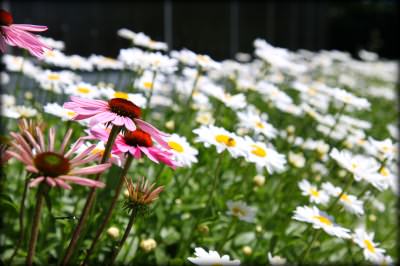
To change your aperture, consult your camera manual to see what setting you will need to set your camera to. For my Canon camera, it means switching the dial to Av and then using the dial to turn it to the number that I wanted. I usually try to shoot in f/2.8 for most of my pictures, f/5.6 for much of my portrait photography, and f/22 for beautiful landscape shots with everything in sharp focus. For this shot of the flowers, I used f/2.8 to get just the front flowers in focus.

Q: How do you get the blurred edge on your photos?

A: The blurred edge is just something I add in Picnik. I just go under the Create tab and I select Vignette. Then I slide the slider down to almost nothing on the size of it. This adds just a tiny edge to the photo that is nice for online viewing, but not noticeable when printing them out or loading them on a digital frame. What can I say, it is my little signature move!  You can do that with a free membership to Picnik, you definitely do not have to pay anything for that one!

Q: What equipment do you recommend and what do you have?

A:  Again, I am not an expert on buying camera equipment, but I can tell you what I do know about it. I have always heard that it is much wiser to spend your money on your lens than the body of your camera. That is not to say to totally skimp on the body, but the body of cameras is constantly changing and being improved upon. I just got my camera this past summer and they have already come out with the Canon Rebel 2Ti, if you can believe it, and it costs quite a bit more than my already antique and outdated camera! The truth is, I will never stay current with the body of my camera because within a few months, a new one will already be replacing my ancient equipment.

If you are on a budget and are looking for a great point-and-shoot camera that has the same functionality as the DSLR, but you don’t have to buy lenses and make a huge investment, I loved my Canon PowerShot (the link takes you to the current model). I am a Canon girl and was really happy with this point-and-shoot camera. It is the camera that I recommend to my friends and I have always heard how happy my girlfriends are with their Canon PowerShots. Agonizing amounts of research were done before I selected that camera and I was very happy with it!

If you are still on a budget, but want to make a long-term investment and are just looking to shoot pictures of your family…then I will tell you what I have. As an aside, we found our lens on eBay from a photographer who was upgrading his equipment, but I am linking through Amazon for convenience sake. I have the Canon Rebel T1i and we bought the Canon EF-S 17-55 mm lens.  They have kit lenses that are around $100 or more each and I have seen people take great pictures with these, but we made the investment in one really good lens that would do just about everything for me for the rest of my life and until I die amen. This lens is all I really need in most situations.

I don’t use my flash often, but for  our recipe section and for some our evening events, I wanted to have an external flash. That was my anniversary/Mother’s Day/You Work Hard Sometimes gift and I got the Canon Speedlite 270EX Flash. If you don’t need something this fancy, I did really well with my Gary Fong Puffer Pop-Up Flash Diffuser (around $20) which really seemed to help my evening shots and didn’t take up a lot of room in my camera bag.

The most important thing to buy though is a lens filter to protect your lens. If for some reason you scratch your lens or something happens to the outside of it, this $10-$20 filter will protect the lens and be what breaks instead of your $100-$1,000 investment. Trust me, you will thank me later if you have this!

Q: Do you have any good books or websites to visit that can help me learn more about photography?

I am a HUGE fan of Scott Kelby and his Digital Photography Books 1, 2, & 3. See if your library has these and check them out for smartly written, witty, and down-to-earth tutorials on how to use your camera. I love that he says, “If you want a good portrait, turn you dial to this,” instead of high-brow photography terms that, as a mom,  I just don’t understand.  I just want someone to tell me what to do, not make me feel stupid!

For reading, I definitely recommend Digital Photography School for tutorials and Shutter Sisters for photography inspiration!  I also love to see what Secret Agent Mama, Mooshy in Indy, I Should be Folding Laundry, I Heart Faces, and Me Ra Koh are doing with their cameras. The best part about them…humbleness and willingness to share.

Really though, the best thing you can do for yourself is to read your manual. Discover. Play with your settings. Practice. Read the manual again. Try new things. Be unafraid to fail. Become a human sponge and learn. Display those pictures creatively. Be the treasure keeper. Live your life fully, which will in turn,  will create natural and picture-worthy moments. Love.

Questions and comments are welcomed and appreciated!

Disclosure: All of the links above are affiliate links and are provided so you can locate your camera equipment and tools easily. Feel free to order through our site, but we always encourage shopping around for the best bang for your buck! Happy picture-taking!

An Orlando Treasure: GatorLand

Tuesday, April 6th, 2010

Ethan and I had a fantastic time in Orlando and I am looking forward to sharing about some of the attractions that we visited and ways you can save on enjoying many things in Orlando while you are there. We truly enjoyed our visit to Orlando and the experiences and memories we created together were just priceless.

To start this series, I wanted to share with you my absolute favorite place that we visited and some ideas for ways that you can save on your ticket to this attraction and many others that you might be visiting. You might be surprised to hear that it wasn’t Disney that holds a special place in my heart. In fact, it wasn’t anything that I thought would be that exciting, but I was quickly proven wrong by an amazing little theme park called, “GatorLand.”

GatorLand definitely is not a new attraction to Orlando residents, but we had never heard of it before and my little guy was so excited to see a few Florida gators for himself. GatorLand might sound  like a quaint touristy spot to visit, but it is, in fact, a 110-acre theme park and a nature conservatory for the city of Orlando.

When I say theme park though,  it isn’t the kind of theme park that you might think of when heading to Orlando. They have no big relationships with corporate companies, real animals (not mechanical ones) are located there, real people are guiding you and sharing about the animals, and kids are gobbling up every minute of these beautiful animals and their stories.

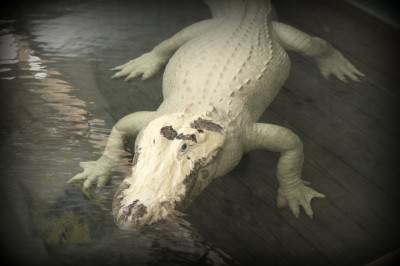
Upon entering, we were introduced to the four very rare white alligators that are currently residing in the White Alligator Swamp. These are not Albino alligators, but a very rare breed that actually have blue eyes and the white pigmentation to their skin. It is thought that there are only a dozen of their kind in the world, and four of them have happily made their home there. Technically, they are named leucistic (loo-SIS-tic), which is basically a genetic defect which produces their white pigment and the bright blue eyes that make them so unique.

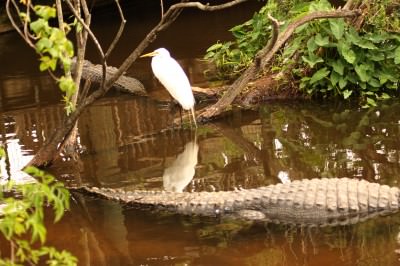
While there were many alligators there, there were perhaps a few hundred more birds that are located on the property. They had everything from herons, to wood storks, to vultures that were happily residing near the alligators that were lazily swimming in the water. Our tour guide informed us that the birds love to make their nests and be near the alligators because the alligators protect them (and their eggs) from other predators. The alligators have no interest in bothering the birds and the birds know that they can make a home there.

The spot is a hot one for photographers and people come from all over the world to photograph the birds there. Photographers can buy a  pass and come in the early morning hours to sneak a peek at the birds. It was quite unbelievable all of the varieties of birds that were on the property. It would be a great place to bring a trusty bird guide and discover birds with your children!

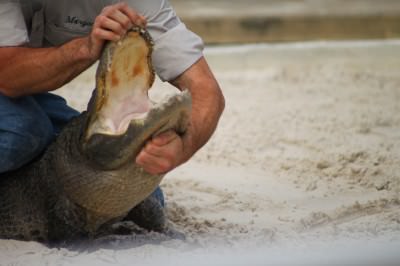
Kids can get a closer look at the alligators in their “Gator Wrestlin’ ” arena. No worries, there was no wrestling other than the wrestling required to get the animal out of the water and give kids the opportunity to learn more about these fascinating creatures. They offer survival tips on what to do if you are ever in the path of a gator and share facts about what makes alligators so unique. Stunts, like the ones pictured above, showcase the strength of the alligator’s jaw.

For an additional $5, they offer the chance to pose with a real alligator, in the arena, which my son was very eager to do. The extra five dollars goes towards the care and food for the animals. This was all done under the watchful care of their trainers.

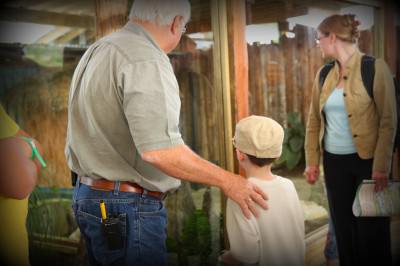
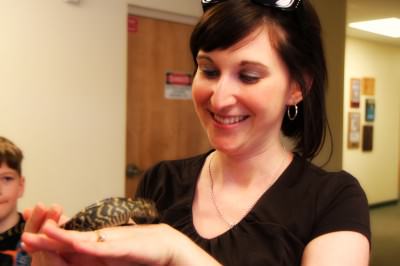
If your children love the creepy crawlers, then they won’t want to miss the Up Close Encounters Show. You never know what kind of animal you might be introduced to next as they unveil a variety of different snakes and spiders from behind the crated boxes. Volunteers are brought up from the audience for the great unveiling which the kids will definitely get a kick out of… especially if their mom is the one that gets selected!

There is so much more to do that we didn’t even get a chance to see while we visited. They offer a train ride around the property, a water park that the kids can play in to keep cool, and you can even sit down and have lunch or a latte there.

The price of admission is as follows:

Adult- $22.99 (if purchased online, $19.99)

Child- $14.99 (if purchased online, $11.99)

To save a little more on your visit to GatorLand, head over to print out a free 2010 Orlando Magicard which provides year-round savings at more than 75 area establishments including attractions, accommodations, restaurants, dinner theaters, ground transportation, golf courses, and cultural arts.

The Orlando Magicard is free and can be downloaded at VisitOrlando.com/deals, requested for mail delivery by calling 1-800-551-0181, or picked up at The Official Visitors Center in Orlando. The 2010 version of the card provides expanded offers including theme park deals and other significant savings options such as free nights plus additional free amenities at area accommodations; buy one ticket, get one free offers at attractions; or straight discounts up to 50% off.

If you use the Orlando Magicard at GatorLand, you can score a free train ride for each paid admission.

As a parting gift, on our way out each child got to hold a baby alligator.  The kids were so excited and were all amazed at just how tiny these alligators start out.

I was so taken into the moment that I even took the opportunity to hold the baby alligator myself. If you know me at all, you know that this is so not like me. I will say that my son couldn’t have been more proud of his mommy and I am so proud of myself for stepping out of my comfort zone a little!

We would like to thank GatorLand for giving us the opportunity to explore and learn more about what they offer and to experience a place in Orlando that we would have never known about. It is a hidden gem that I highly recommend if you are ever in the Orlando area.

Disclaimer: We were invited by the Orland/Orange County Convention & Visitors Bureau for an all-expenses paid trip to experience Orlando and share with our readers about our experience. All-expenses paid means that our travel, hotel stay, visits to area attractions, and food were covered by the company. We will receive no other additional compensation for the project and are asked for our honest opinions without any further obligation. To find out more about how things work here at MomAdvice, please feel free to visit our official Disclaimer page!

Do you have any hidden gems that you have found in your state or in another that you highly recommend visiting for a family vacation? Please feel free to share cool things about your own town or links to past entries on great places to travel!

We Are Ready for Orlando!

Thursday, March 25th, 2010

It is rare that I take trip opportunities anymore. I am such a homebody and hate to get our life off schedule… not to mention hate being away from those that are precious to me! Few trips seem worth compromising the routines in my life unless it really benefits the business, my personal career, or our family time.

When I received an invitation from the Orlando/Orange County Convention and Visitors Bureau for an all-expenses paid trip to experience the city with my little guy, I just couldn’t pass it up! We will be heading on a whirlwind adventure that includes a visit to Universal Studios, Gatorland, Sea World, and to see The Blue Man Group perform this next weekend. To say he is excited is definitely an understatement! I don’t know what he is more excited about- being with me all by himself, lounging by the hotel pool, or getting to fly on a plane.

I am hoping to get some individual time with my son and find out ways that our readers can save on an excursion to Orlando.  We are planning our own family trip to visit our relatives in Florida for next summer so I am excited to get a peek into some ideas for how to better plan our travel and save our family money in the process.

We will be out of town this weekend and I just wanted to let you know if I do not answer emails as promptly. Everything else will still be running as normal around here and we look forward to sharing our experience when we get back.

Disclaimer: We have been invited by the Orland/Orange County Convention & Visitors Bureau for an all-expenses paid trip to experience Orlando and share with our readers about our experience. All-expenses paid means that our travel, hotel stay, visits to area attractions, and food will be covered by the company. We will receive no other additional compensation for the project and are asked for our honest opinions without any further obligation. To find out more about how things work here at MomAdvice, please feel free to visit our official Disclaimer page!

Do you have any tips for places to visit in Orlando or ways that you save on your family vacations to Florida?  Please feel free to share links to past posts or highlight any websites that have been helpful to your family!

Taking Great Pictures: Figuring Out Your White Balance

Tuesday, February 23rd, 2010

Hi! I’m Katie from goodLife {eats} and I’m guest posting today for Amy. I’m not a professional photographer by any means, but I use photography a lot for my blog. With each recipe I post, I include at least 1 photo. Sometimes upwards of 4 or 5. I hope I can share a few tips with you that I’ve learned a long the way that will help improve your photography skills – even if you use a Point-and-Shoot!

Not long ago I had absolutely no idea what terms like shutter speed, ISO, aperture, and white balance meant. I was stuck on “auto” and I spent a significant amount of time post processing my photos until they were to my liking. Surprisingly, (after reading my camera manual – something I should have done in the beginning – and exploring my camera’s menu) I found that I was actually able to adjust a couple of these settings on my basic point-and-shoot to further improve my photos.

I found that while I was using my point-and-shoot camera, the one of the things that made the biggest difference in my photos was moving away from “manual” white balance settings.

Are you confused yet? Are you asking any of the following questions? Read on and I’ll explain!

  • What is White Balance?
  • How do I adjust my white balance?
  • Is this complicated?

What is White Balance?

Simply stated, the colors in the photo will look correct. The image will look how you viewed it with your own eyes (our amazing brain processes and adjusts the color for us), rather than the camera’s guess at what the color temperature is. Color temperature is the comparative warmth or coolness of the white light.

Can you see the difference below? Which one looks more natural to you?

The first photo has that terrible blue cast. It doesn’t make for a very attractive photo. I’m not in love with the shoot either, so it isn’t a big loss. The second photo is a beautiful shot of my daughter. I love the twinkle in her eye and the way she’s not looking straight at the camera, but it’s all yellow. Unfortunately, I didn’t have the white balance custom set for that photo. So that is a disappointment. The third photo was taken with the white balance set to custom (see below for details on how to do that). Combination of great shoot with a cute grin in her lips and natural looking color.

When set to Auto White Balance, the camera just guesses at the color temperature. Sometimes it guesses correctly and other times it doesn’t. An incorrect white balance will leave you with an unnatural color cast, often times yellow or blue, and disappointing pictures – especially if you are photographing people or food.

A blue plate of fettuccini alfredo? Not thanks. I want to see the creamy white sauce. The same holds true for portrait photography as well. I want to capture exactly what my daughter looks like at age 2, because some day I might not be able to remember that anymore.

Is this Complicated

Setting the White Balance might feel clumsy at first. It is definitely an extra few steps that you’ll have to add in your picture taking routine, but I will tell you that it gets easier and becomes routine quickly. Especially, when you see the difference these few steps can make in your photography.

How do I set my White Balance?

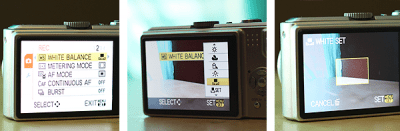
Go into your camera’s menu.

Scroll through to find the white balance menu.

Scroll through the different preset options listed in white balance:

  • Auto
  • Daylight
  • Cloudy
  • Shade
  • Tungsten
  • Fluorescent (my point and shoot doesn’t have this one)
  • Custom
  • If one of those looks like it will work, based on the lighting I have available, I go ahead and select it. On my point-and-shoot I can look at the screen and see how the image will look with the selection I’ve made. On my DSLR, I have to take a test photo first.

    If I want to custom set my white balance, I select that option. And then proceed with a few more steps. The steps may vary slightly according to your camera, so I recommend looking at your user manual for instructions tailored to you, but this should give you a general idea of how simply it is.

    Take a photo of a plain white sheet of paper. The paper should fill the entire frame of the photo so that only white is showing.

      1. Take a photo of a plain white sheet of paper. The paper should fill the entire frame of the photo so that only white is showing.
      2. Select the white photo as the camera’s reference point.
      3. Begin shooting.
      4. Take a couple of test shots and check them out to see if the colors look right to you. If not, try again

      I hope that makes sense! Give it a go and if it doesn’t make sense or you have a question, let me know and I’ll answer it as best as I can! I hope to see you around at goodLife {eats}, where I share what I find good in the kitchen and in life.

      We would like to thank Katie for sharing her fantastic photography advice with our readers as we finish our last week of home renovations. We encourage you to visit Katie’s beautiful and thoughtful site and are so thankful that she was able to help us with the blog this week!

      Notebook Experiments: Can I Make My Hotel Stay Better?

      Wednesday, July 22nd, 2009

      Experiment: Can I make my hotel stay better?

      Experiment Taken From: Notebook Entry 10.30.08

      Materials Needed: Please see Digital Bliss for the full instructions. This post was written by Angie, over at Blog Coach, so please be sure to check her site for additional great blogging resources!

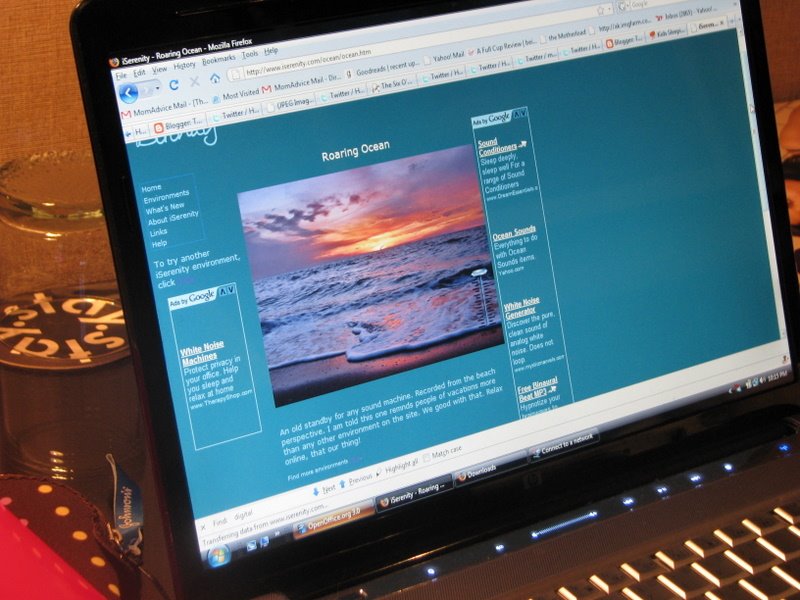
      Results: While I am off traveling, I wanted to share with you two of my favorite sites to use while I am away from home. If you are ever away (with kids or without), give these sites a try… especially if your room comes with free Wi-Fi!


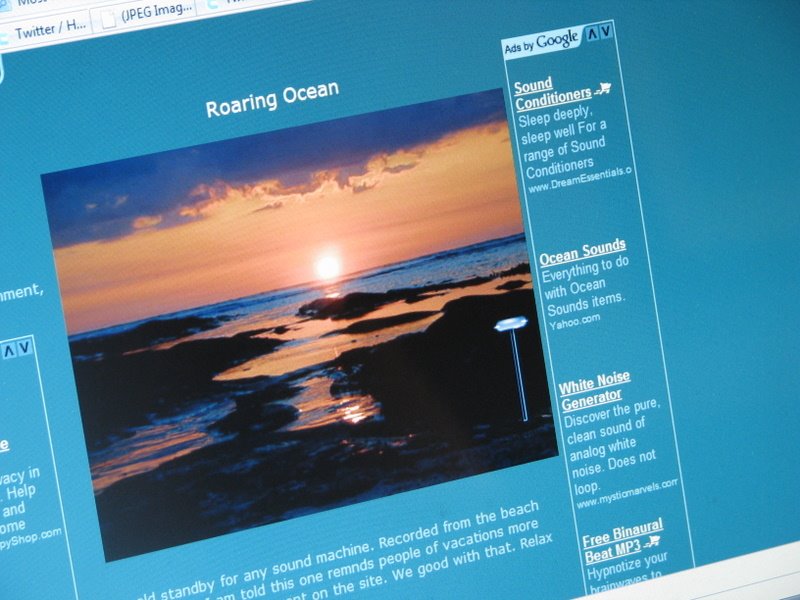
      iSerenity was perhaps my favorite resource on that list because I hate all the sounds from my neighbors and out in the hallways of hotels. In our house, each of us has a sound machine in our rooms so I really love having some type of white noise when I sleep. I tuned into the sounds of the ocean and it helped so much to cut down on the background noise so I could get some sleep. This would have been a great resource too when my children were smaller to help them sleep better too.


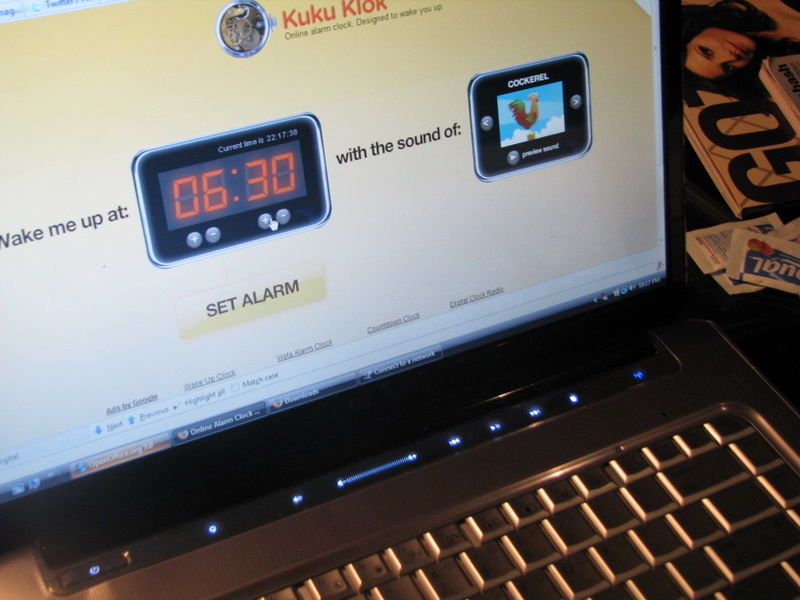
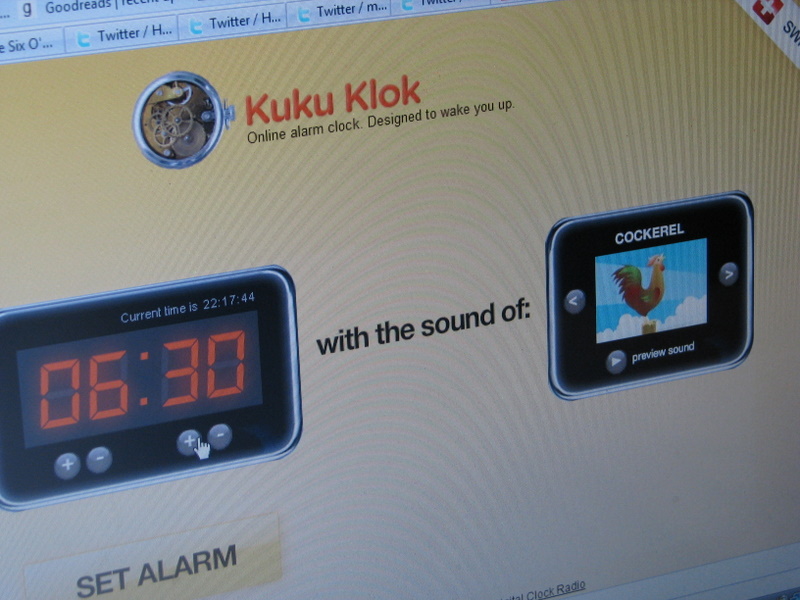
      The other site that I used was Kukuklock. Is it just me or does anyone else have trouble figuring out how in the heck to set these alarms in the hotel rooms? A little manual would be helpful! I set my alarm on my phone in my room, but I like to have a back-up alarm just in case. I went ahead and set it to the rooster setting and it was as easy as pie to set.

      I headed to bed and woke up to the sounds of the ocean with roosters crowing over the waves. Yeah, it was pretty freaky and I thought I fell into an alternate universe for a moment there, but it worked like a charm.

      Conclusion:
      I plan to use these sites every time because it helped me sleep better knowing I would wake up on my time and I could eliminate the background noises in my room. I hope you can check these out on your next trip!

      **********************

      I am so excited to open our Notebook Experiments up to everyone and I hope that you will be able to participate this week or in weeks to come! I will be posting this each Wednesday so please mark your calendars if you plan to participate. You can post your entries at any time throughout the week and then leave your entry in the links below.

      We have this handy banner that you are more than welcome to use, but it is not a requirement! It is just something you can add to add a little sparkle to your entry.

      Rules for Participation:

      1. Choose anything from any of our notebook entries (past or present) to do with your family. We have hundreds of bookmarked links of crafts, ways to save money, and organizing ideas.
      2. Complete an experiment from the notebook and share about it on your blog or website. We would love to see pictures of what you accomplished or a detailed description of how your projects turned out. Please include a link to this entry, a link to the original posting of the entry (at the original craftster’s blog), and (to help us relocate the project) the date or link of the notebook entry where you found it. You can use the same formatting as our entries or you can just include that information in your post in your own unique way!
      3. Post a link below. Please include your name or blog name & a fast description of your project. Example- MomAdvice (WHO bread)

      I can’t wait to see what you create and what you find inspiring!

      Simply Capturing Great Photos Resource List

      Thursday, April 2nd, 2009

      Another big round of thanks to Mishelle Lane for sharing her invaluable advice on photography and choosing the right photography equipment with our listeners. It was an exciting and information-filled half hour so I hope you can listen to this at your leisure, if you didn’t get a chance to catch it live!

      Here is our list of resources that were highlighted in today’s episode:

      Mishelle Lane– Mishelle is very connected in the photo world and you can find her at Secret Agent Mama, Mishelle Lane Photography, Flickr, or connect with her through Twitter (@secretagentmama)

      Photography Sites to Visit: Mishelle recommends visiting Photo Bliss, Shutter Sisters, & Pioneer Woman to help breathe some life into your photography. All sites offer great advice on photography and can give you some new ideas for picture-taking.

      Picknik– This is the photo editing site that Mishelle mentioned as a great and inexpensive photo editing tool for moms. They offer free & a premium membership for $24.95. This is a great beginner programmer to use, but still offers some great features that watermarks for your pictures.

      Canon Cameras-Mishelle recommends this site for checking out great cameras when upgrading your equipment.

      Opteka– Find great budget-friendly accessories for your camera on this great website!


      On next week’s show…

      Tara, from Deal Seeking Mom, will be joining us to give us a glimpse into how to effectively save the most money using coupons. We will learn simple strategies for organizing our coupons, how we can apply our coupons for the maximum savings, and what online resources will give us the best bang for our buck.

      Related Links:

      5 Tips for Great Photography Straight From A Pro

      Take Your Own Pictures to Save Money

      MomAdvice Simplified: Simply Capturing Great Photos

      Thursday, April 2nd, 2009


      This week on MomAdvice Simplified, my podcast for moms, I am so excited to be joined by photographer extraordinaire, Mishelle Lane. Mishelle blogs at Secret Agent Mama and I had the great pleasure of meeting Mishelle at Blissdom ’09. I couldn’t wait to have her on our show as a guest to share her photography tips with us.

      Mishelle will be sharing her tips for purchasing the right photography equipment, some ideas for capturing our busy children, and how to get out of the automatic modes on our cameras. Best of all, she shares her resources for budget-friendly camera equipment & photo editing tools. You don’t want to miss this one!

      This podcast will be airing today at 2PM EST so I hope you can join me for this exciting half hour!

      5 Tips for Great Photography Straight From A Pro

      Wednesday, November 26th, 2008

      I was excited to have found an old friend of mine from high school through Facebook. As I paged through my friend Daniel’s info and pictures, I couldn’t believe how incredible his photography was and had to find out what he was up to. It was no surprise, after seeing his amazing photography, that he was running his own business and doing quite well with it.

      I asked if I could interview him for our website so I could share tips for great photography with our moms and was so thrilled when he accepted. He was happy to share with our readers just a little glimpse into the world of great photography and I hope that this information will help you as you venture into taking pictures of your children.

      Best of all, he shares his secrets for getting that perfect family photo and just in time for those fun holiday pictures for those photo cards!

      Can you offer some insight on choosing the best photography equipment for a young family? What is one good investment that is totally worth the splurge?

      Sure! I can talk cameras and gear all day and night, but I’ll try to keep it brief. The main thing to keep in mind is that expensive gear doesn’t make great photographs. Expensive tools are nice, but more important is the knowledge of how and when to use the tools you’ve got. With that in mind, remember that digital photography equipment is very rapidly evolving. For example, the big camera manufacturers have a history of announcing new SLR camera bodies every 18 months or less! So the one solid investment to make in digital photography is in glass (lenses). Spend your money on the best glass you can afford, keep it forever, and then look for a camera body within your remaining budget.

      If the SLR world of bodies and interchangable lenses is entirely out of your budget from the start, then don’t forget that truly great photographs are made every single day with cameras in the Point & Shoot (P&S;) category. In general, P&S; cameras will range from being completely automatic to having the ability to shoot fully manual. An automatic camera can be convenient and may serve your purposes well. However, in my experience, most people taking photographs of their kids will eventually want at least some amount of manual control over their camera’s settings. The danger in letting an auto-camera do all the thinking for you is that there will be situations involving lighting, motion, white balance and selective focus that will require at least some amount of manual control to capture. I don’t want to get too much into recommending specific brands or models, but the P&S; camera I take with me when I scuba dive is a Canon G9, which can be as “auto” or as “manual” as I need it to be. I use 2 SLR bodies and a variety of lenses when shooting above the water!

      If readers would like more specific recommendations with regard to brand/model, they are more than welcome to contact me directly. I’m happy to help! So, quick re-cap: spend your money on good lenses first if going the SLR route or spend your money on getting some manual control if going with a P&S; camera.

      When trying to capture pictures of children, what are a few quick tips for good photography?

      First, remember that photography is about light and without good light on your children, their smiles, laughs and actions will likely go uncaptured! So, position yourself in relation to your children so that their faces are well lit and worry about lighting in other areas of the frame as secondary importance. With that in mind, harsh sunlight isn’t very flattering in most situations and finding some shade under an overhang or next to a building will generally improve the quality of your light. Think about light in at least two different ways; there is a quantity of light and also a quality of light, which are very different from one another. Try to avoid shooting under tree leaves as you’ll end up with “broken light” on your children from the sun shooting between the leaves of the tree. You’ll end up with bright spots and shadow areas right next to one another on their faces, creating a “giraffe skin effect” on your kiddos!

      Of course, with kids, the harder you try to pose them, the worse the situation becomes, and very quickly! Most parents with younger children would have no trouble agreeing with that! So, let children be children. Don’t impose too much, hang around close enough to capture your photographs, gently inserting mild directives when possible, but try not to intrude. If you do need to pose children in a more formal manner, do it quickly, with lots of praise and by showing them examples of what you want, etc. Get the shot immediately and then set them free to go play! In general, I try not to keep the little ones ‘posing’ for me any longer than 30 seconds to a minute before giving them a play break. Of course, during their play break, I’m still shooting from a distance!

      Young children are constantly in motion, what settings work best for energetic toddlers?

      Great question! I tend to think of child photography as being similar to sports photography in many ways. Two things have to happen; 1. your shutter speed has to be fast enough to ‘freeze’ the child’s motion and 2. your focus must be constantly adjusting as the child moves and the distance changes between the child and your camera. A slower shutter speed will let in more light of course, but motion will also be blurred (which can be a cool effect). However, I find that a sharp, crisp, and in-focus photo of a moving toddler will typically require a shutter speed of 1/80s or faster depending on how fast they are moving and depending on the lens you are using. A longer (telephoto) lens requires faster shutter speeds to avoid camera shake. Many cameras have several focusing modes. If your camera has a mode that allows you to track movement, sometimes called AI Servo or AI Focus among other names, this usually works better than pre-focusing and trying to anticipate a child’s movement. So, quick shutter and tracking focus for kids on the go!

      What editing software would you recommend for a mom who is just starting out with photo editing?

      Well, there are just so many good options for editing photos anymore, many of them free and I’d be happy to recommend a few of my favorites. However, I want to emphasize how important it is that good photographs be made in-camera, not ‘fixed’ in post processing. With tools like Photoshop we can do some really amazing things to a digital image, but it’s always obvious when a photograph has been ‘saved’ in photoshop. There’s a saying to this effect amongst many photographers, “garbage in, garbage out.” My point being that you should spend more of your time working on getting great photos with your camera than working on trying to edit them into great photos .

      However, in my opinion all digital photos do require at least a little post-processing in the way of white balance, saturation, curves and sharpness and one of my favorite tools for, say a mom jus
      t starting out, is
      Google’s Picasa. It’s free, has a very easy interface, offers many web and sharing options and likely isn’t going away any time soon! Honestly, my 6 year old uses Picasa with her digital photos. It’s very user-friendly. For those who may be ready to get into a little more serious editing, but want to maintain the ‘free’ aspect, I’d recommend the application, Gimp.

      There are also many free web-based applications for those times when you might not be at your own computer, but need to quickly upload and edit a handful of images: Picnik, Pixenate, Fotoflexer, LunaPic, flauntr, picture2life, phixr, and easyphotoresize. Personally, I do the majority of my editing for the weddings and portraits I that I shoot in Adobe Lightroom and a little bit still in Photoshop.

      When getting family portraits done, I am always stumped how to dress the family. Do you have any suggestions for getting that perfect family picture?

      Sure! In general, I like families to feel comfortable above all else. Good photographs are about capturing a family’s personality and it’s always very obvious when subjects are uncomfortable in their own clothing. Additionally, I tend to like solid colors on top and either jeans or khaki pants. In the Fall, I prefer solid black or white tops. In the Spring and Summer, I really like bright bold solid colors on top. Bright, bold colors in the snow for winter portraits can really be fun too! It’s usually best to avoid busy patterns, horizontal stripes, and clothes that have never been worn before. So, be comfy, be yourselves and do your best to NOT stress out about getting your family portraits done. One thing I can say for sure, is that stress always shows in photographs and stiff, posed portraits are just not my style at all. So, when considering getting your own family portraits done keep comfort and personality in mind. In general, you want your family to look like your family in your portraits, not a stiff, posed and stressed version of your family!

      I have to ask, what is your favorite photograph that you have ever taken and why is it special to you?

      Definitely the hardest question to answer, Amy! It’s so tough to say. On one hand, there are so many photographs that I am really pleased with and on the other hand, one is always very critical of his own work.

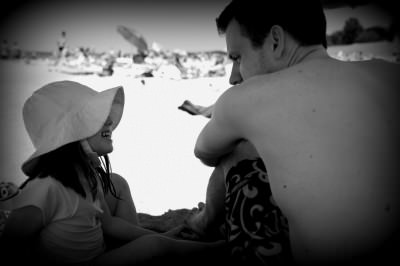
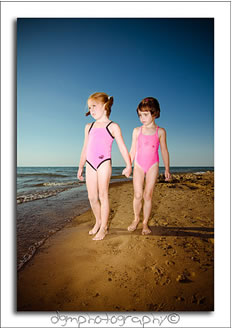
      One thing I do every year in December is put together a collection of what I feel are some of my best photographs for that calendar year and publish them as a free video podcast, which can be found in iTunes by doing a search for “dgmphotography” or “Daniel G. McNulty” in the iTunes store. Subscribing to this video podcast portfolio is free of course. I also regularly put many of my personal favorites on my blog in more of an informal format. That said, I think I’d have to choose a favorite in multiple categories (weddings, children, families, landscape, etc), but if I were forced to choose one photograph to keep for the rest of my life and never look at another, it would probably be this one, mostly because they are my daughters and loving the beach and loving each other as I do!


      General Info About Daniel G. McNulty Photography:
      Website: www.dgmphotography.net
      email: daniel@dgmphotography.net
      Blog: www.dgmphotography.blogspot.com/
      iTunes Link

      A big round of applause to Daniel for helping us with this piece. What is your biggest dilemma with capturing pictures and what would you like us to feature more of in this category?

      Please be sure to leave a comment and thank Daniel for his time in helping us supply these amazing tips!