A few months ago our family made the radical decision to turn off of our cable television. It might not seem like a radical decision to you, but for a family of self-proclaimed television junkies, it felt bold to call our television provider and tell them that we were ready to turn off our channels.
With so many fantastic options available to families, it is so much easier to say no to the cable bill thanks to online television and innovative ways to indulge in your favorite shows. It might surprise you that this article is not about getting rid of your television and singing Kumbaya because our life is so much better without TV. No, we still love our television and I wanted to share with you how to get your fix for less and how to slash your cable expenses for good.

I will fully admit that there was a bit of bribery involved to get my family on board with the decision to turn off our cable. We found an Xbox for less than half price on Craigslist from a family that was looking to downsize their electronics and gave this to ourselves for our family Christmas present. This gaming system was my ticket to get everyone on board with my decision to let our cable bill go.
If you are looking for ideas for how to get around your cable bill, here are a few of our own family’s favorite options to maximize your family’s entertainment budget.
Players
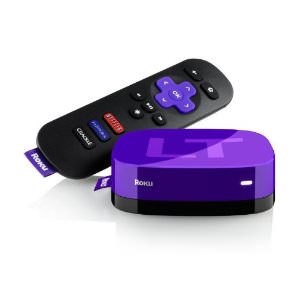
For families that don’t have a gaming system to view television through (like the Xbox, Wii, or Playstation) this little box can be a wonderful option. Your Roku hooks up to your television and allows you to play through subscription-based programs like Netflix, Hulu, HBO Go, and Amazon Instant Video on your television. Your Roku player can hook up to your home entertainment system and give your entire family the opportunity to watch something together on the couch rather than sitting at your laptop.
The only downfall with the product is that you really do need to have a high speed internet connection, as are most streaming options. If you have a DSL connection we found that the viewing can be a little bit like watching something on You Tube.
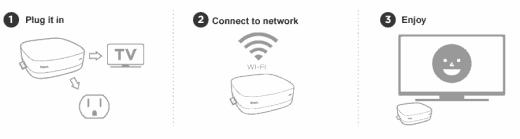 The Roku Player is surprisingly easy to use and simple to integrate into any home entertainment system. The interface is extremely clear and hook up took literally a couple of minutes. For homes with wireless Internet connectivity, the player is Wi-Fi enabled and offers the ultimate in placement flexibility. With the player’s accompanying remote control, members can browse and make selections right on the TV screen and also have the option to pause, rewind or play your favorite shows anytime just like a DVD.
There are no monthly fees attached to the Roku Player, but it enables you to watch your shows and online subscriptions in one place.
This is the player that we use in our own home and we have no complaints with this fabulous option. There are other similar products on the market like the Apple TV and the Boxxee Box, but I love the affordability of the Roku Player and what viewing options are available on it.
Game Consoles ($149-300)
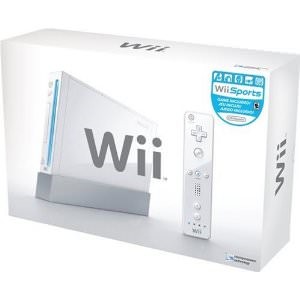 Game consoles can be a wonderful bang for your buck because they offer unlimited entertainment through gaming as well as a platform for you to watch your favorite shows and movies. It is important to make the right investment for your family when choosing whether you want the Wii, the Playstation 3 or the Xbox 360 based on your own family’s entertainment needs. It is also important to understand what is included with each game console and what are extra expenses you may have later down the line.
Below is a basic price breakdown on what is included with your gaming system, what the costs of games might be, and the graphics quality for each gaming console (found on Amazon).
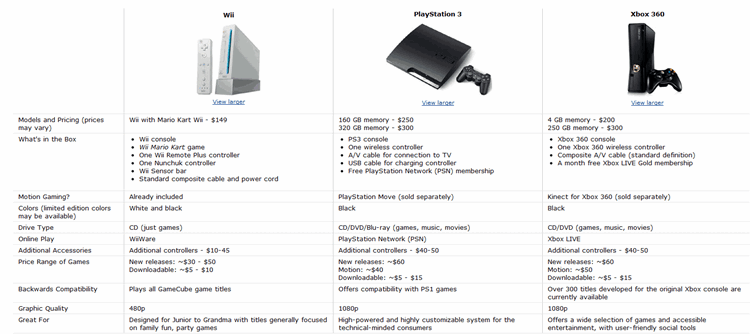
(click to expand)
Our family loves playing games together and having a gaming system has been a great way for us to spend time together. We have never bought a full price gaming system though and have had great success finding used consoles for half the price of retail price. Not only have we found our consoles for less, but when we have found these units on Craigslist, the sellers are usually getting rid of their games, controllers, and accessories that go along with them and will sell them to us for a fraction of the retail price.
We use both our Wii and our Xbox 360 for streaming Netflix and watching Hulu Plus. Both of them are fantastic for this purpose as well as fun weekend entertainment for us as a family.
Channel & Movie Subscription Options
Play On ($29.99 annually or $4.99 a month)

Play On is an easy way for you to watch your favorite videos, shows, and movies from websites such as Netflix, Hulu, YouTube and more on your TV using your Wii, Xbox 360, or Playstation 3 over your home internet connection. PlayOn also works on your iPhone or Android phone.
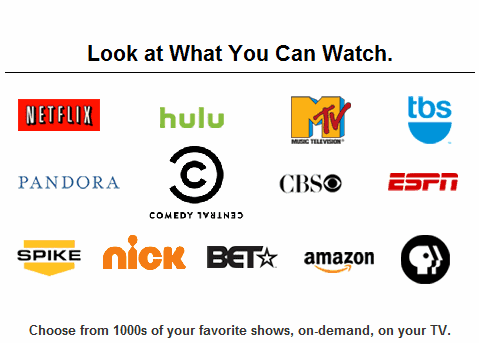 When we turned off our cable, we were missing some of our favorite shows on some of the channels we watched. Play On is almost like having a cable subscription without the outrageous price since they offer many channels that would have to get with a premium cable package. Hulu Plus offers many of the same networks, but not necessarily the same shows that are available on the network.
My children love to watch PBS and Nick. We have found many of their favorite shows that they love through Play On and the cost is an affordable one for less than $30 a year (or a fraction of one month of your cable television).
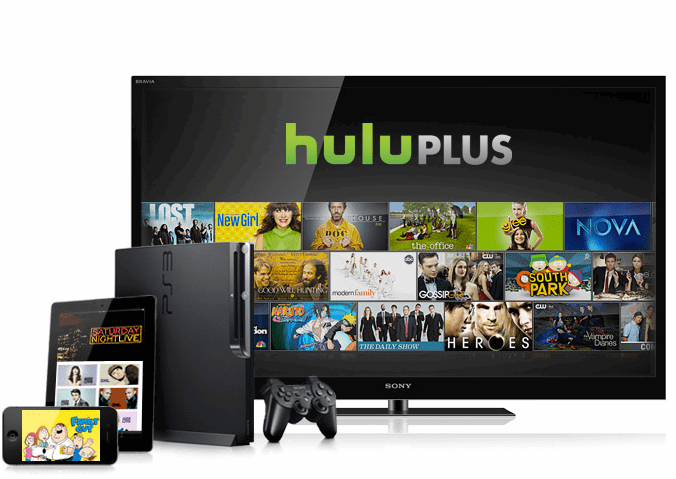 The majority of our TV-watching is now done through Hulu Plus and we absolutely love it. We have beautiful HD television, something we couldn’t afford with our cable bill, and almost all of our favorite shows are available through Hulu Plus.
Hulu Plus lets you watch hit current and back season TV shows and acclaimed movies anytime in HD for $7.99/month with limited advertising. For many popular shows on their service, Hulu Plus offers every episode of the current season, not just a handful of recent episodes.
Hulu Plus can be viewed on multiple devices, including your laptop, the Apple iPad and iPhone, PlayStation® 3, Roku, and TVs and Blu-ray players from Sony, Samsung and Vizio.
You can watch shows for free through Hulu and not buy the Hulu Plus membership. The main difference between your free television experience and the paid subscription is how you view it. With Hulu Plus you can take advantage of the multiple viewing devices, but with the free membership, your viewing is limited to your PC.
Netflix ($7.99 a month)
The other streaming membership that gets a workout in our family is our Netflix membership. Although I feel that the quality of the movies and shows available on Netflix has been deteriorating in the past few months, we still get our money’s worth from this membership.
For $7.99 a month, Netflix members in the Americas, United Kingdom and Ireland can instantly watch unlimited movies and TV episodes streamed over the Internet to PCs, Macs and TVs. Among the large and expanding base of devices streaming from Netflix are: Microsoft’s Xbox 360, Nintendo’s Wii and Sony’s PS3 consoles; an array of Blu-ray disc players, Internet-connected TVs, home theater systems, digital video recorders and Internet video players; Apple’s iPhone, iPad and iPod touch; Android and Windows tablets and phones; and Apple TV and Google TV. In all, more than 700 devices that stream from Netflix are available.
Our family relies on this for our weekend family nights. My husband and I use this for our documentary fix while the kid’s enjoy many of their favorite seasons of Disney & Nick Jr. shows through this membership.
We are hopeful that Netflix will have more viewing options available, but what we can’t get through Netflix we supplement with our Redbox rentals and our fantastic library system.
Digital Antenna ($12-50)
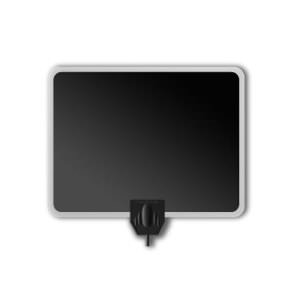
When I say the word antenna, do you think of those giant rabbit ears? I did too. You won’t believe how far those rabbit ears have come and how elegant your antenna can now look. This Paper Thin Leaf Indoor HDTV Antenna ($39.19) is just one example of how streamlined the antenna has become. Your friends will never know that you are one of “those people” watching television on their rabbit ears.
With a good digital antenna it is possible to get dozens of local channels in HD with this small investment. It is worth it to make a good investment in your digital antenna if you are relying upon this for your television because a better quality one is able to pick up a wider range of channels in your area.
We found our digital antenna for less on eBay and we use this for watching things like the Super Bowl and other shows we prefer to watch live. I am always so impressed at the quality of the television we can get through this and I love that we no longer have to pay The Man for our local channels.
 Finding all of your favorite shows can be hard when you are watching from multiple options. I am in love with clicker because it offers a one-stop directory to see if something you love is available online. I think of it as a TV Guide for streaming television.
This site catalogs all broadcast programming online, along with TV-quality Web originals, from these silos and delivers them in one seamless, organized experience so you can easily discover what’s available to watch (and what isn’t) online, where to watch it, and what’s worth watching.
If you are looking to make the leap from cable to online television, check here and see if any of your favorite shows are available for free streaming to decide if you can make the plunge or not.
For Our Canadian Readers-
We had a fabulous comment from one of our readers, Leatitia, on our MomAdvice Facebook Page sharing what streaming options are available in Canada.
“What I use to watch TV for ‘free’ in Canada (50$/month internet bill)
Live TV many channels (including TVA): http://fr.wwitv.com/tv/b2514.htm
HGTV: http://www.hgtv.ca/video/
CTV: http://watch.ctv.ca/
Global: http://www.globaltv.com/video/index.html#video
MTV: http://www.mtv.ca/tvshows/
Radio-Canada shows: http://www.tou.tv/
Radio-Canada live: http://www.radio-canada.ca/audio-video/pop.shtml#urlMedia=http://www.radio-canada.ca/util/endirect/MontrealTV.asx
With those links, I can watch Star Académie, Grey’s Anatomy season 7 in French and season 8 in English, House, Modern Family, Glee, Teen Mom (MTV), Consumed (HGTV), the news, etc, etc….
I’d pay for internet anyway, so I just boost my internet bandwidth to 50G a month and I use about 40G-45G a month. I receive emails when 75% of my bandwidth had been used, as well as 90% and 95% I think. So I’m sure I don’t use more than I’m allowed to!
I don’t miss my cable bill!!”
Thank you so much to Leatitia for sharing her experience with all of us!
 After three months of being without our cable, I can honestly admit to you that there are definitely moments that I do miss. I miss my Food Network, I miss HGTV, I miss the convenience of our DVR taping endless shows for me, I miss my Cupcake Wars marathons with my daughter on Sunday afternoons.
There are also things I don’t miss. I don’t miss feeling like I needed to be a slave to my television to make the most of our dollars, I don’t miss paying nearly a hundred dollars a month, I don’t miss paying for something so darn useless.

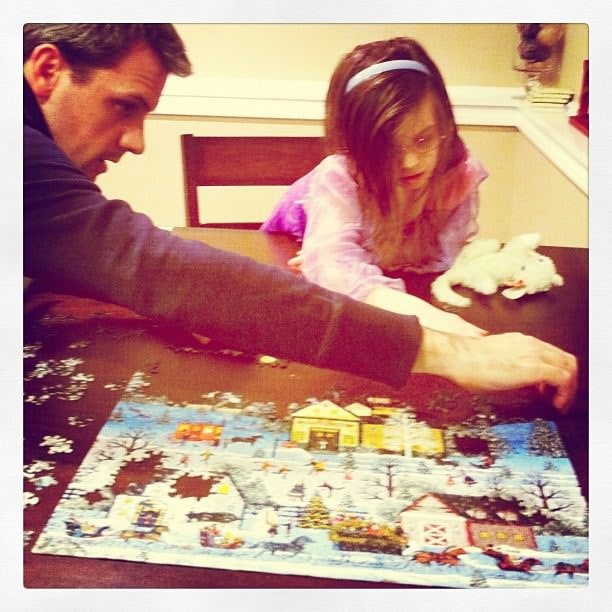
Life does feel a little bit richer. Now that we don’t have a DVR we have to catch up on we are spending more evenings together playing games, doing puzzles, going on outings together, and just focusing on being with each other a little more.
Instead of watching Cupcake Wars we are baking our own cupcakes. Maybe turning the cable off really is radical. It feels that way.

The money that has been freed gives us the chance to put an allowance towards other things we might want to do. We can put the earnings towards a movie outing, getting a season pass to an activity we love, or we can just enjoy the pleasure in the savings.
We still love our television. We just love it in a different way than before.
How do you save on your television watching? How does your family watch television now? What are ways you save on your cable bill?
Disclosure: The links to some of these items are affiliate links and are provided so you can locate what you need quickly and easily. Feel free to order your supplies elsewhere, but we always try to highlight the best deals when we see them.
Pin It